
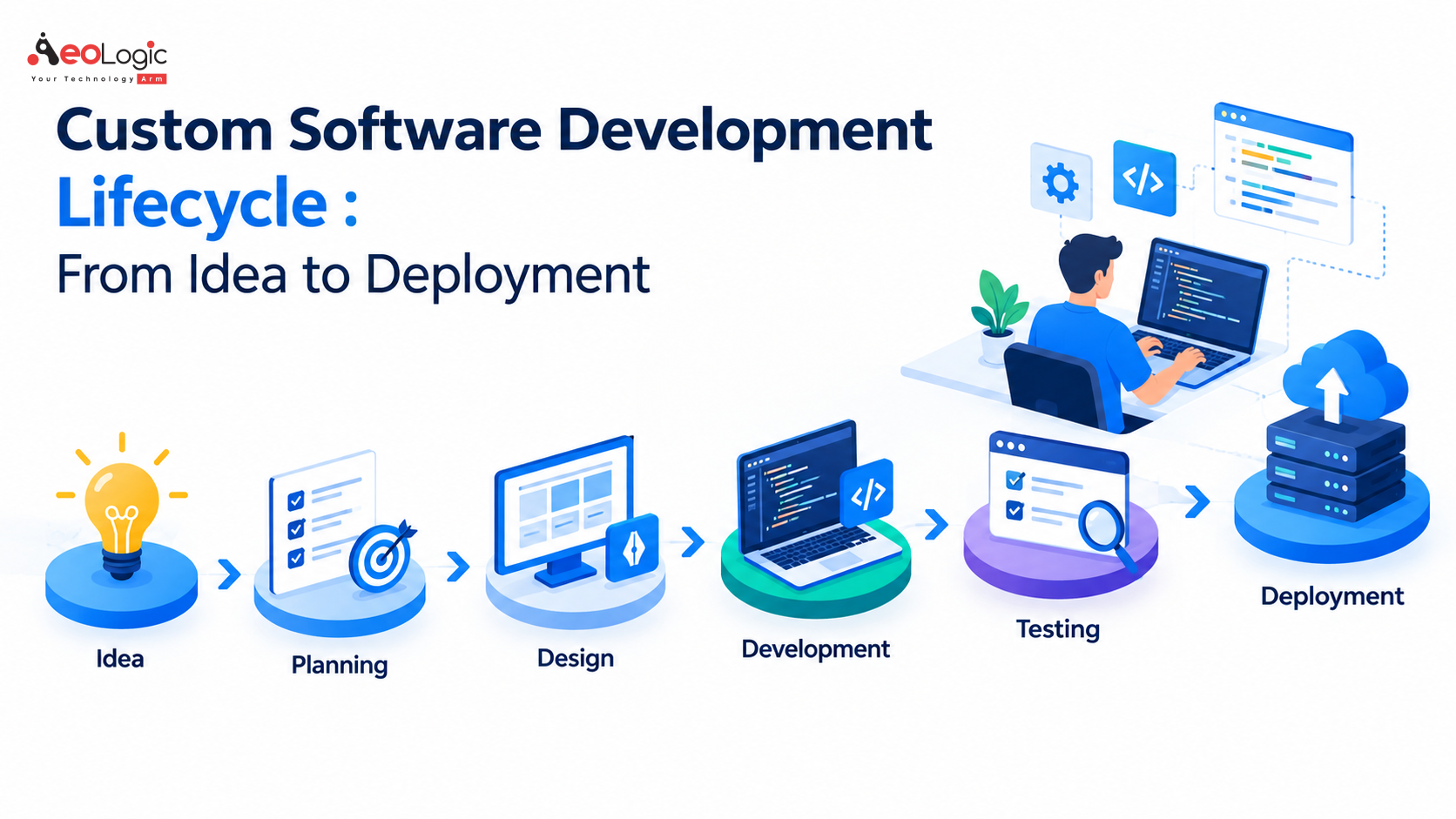

Businesses today rely heavily on software to manage operations, serve customers, analyze data, and create new digital experiences. While ready-made applications can solve common business needs, they may not always provide the flexibility, scalability, or functionality required for specific processes. This is where custom software development becomes valuable. A well-planned Custom Software Development Lifecycle provides a structured path for transforming an initial business idea into a reliable, scalable, and deployment-ready software solution.
From identifying requirements to designing, developing, testing, deploying, and maintaining the application, every stage contributes to the final product. Understanding how these stages work together helps businesses reduce development risks, improve collaboration, and create software that delivers long-term value.
Understanding the Custom Software Development Lifecycle
The Custom Software Development Lifecycle is a structured process used to plan, build, test, deploy, and maintain software designed around specific business requirements. Unlike generic applications, custom solutions are developed with a particular organization’s workflows, users, technology environment, and future objectives in mind.
A structured lifecycle helps development teams understand what needs to be built, how it should work, and how its performance will be evaluated. It also gives stakeholders opportunities to review progress throughout development rather than discovering major problems after the application has already been completed.
The lifecycle can vary depending on the project, development methodology, technology stack, and business requirements. However, most successful projects move through several connected stages, beginning with an idea and continuing through ongoing maintenance.
Stage 1: Idea and Business Requirement Discovery
Every software project begins with a problem, opportunity, or business idea. Before writing code, organizations need to clearly understand what they want the software to accomplish. This stage focuses on identifying business challenges, user expectations, operational requirements, and the outcomes the solution should deliver.
Defining the Business Problem
A strong development project starts by defining the problem rather than immediately deciding on a technical solution. Teams examine existing workflows, identify inefficiencies, understand user pain points, and determine where software can create measurable improvements.
Stakeholders may discuss requirements such as workflow automation, customer management, inventory visibility, reporting, payment processing, data integration, or employee productivity. These discussions create the foundation for the technical and functional requirements of the application.
Identifying Users and Functional Requirements
Understanding who will use the software is equally important. Employees, administrators, customers, managers, suppliers, and other stakeholders may have different expectations from the same system. Their requirements need to be documented clearly so the development team can design appropriate features and user experiences.
At this stage, teams generally establish the project’s scope, objectives, expected functionality, business rules, integrations, and technical considerations. Clear requirements help prevent scope confusion later in development.
Stage 2: Planning and Feasibility Analysis
Once the idea and requirements are understood, the next stage involves determining how the project can realistically be delivered. Planning transforms business requirements into an actionable development roadmap.
Evaluating Technical and Business Feasibility
Technical feasibility examines whether the proposed solution can be developed using available technologies, infrastructure, integrations, and resources. Teams may evaluate cloud platforms, databases, APIs, security requirements, programming frameworks, and third-party services.
Business feasibility considers whether the proposed solution makes sense from an operational and financial perspective. Development teams and stakeholders can examine expected costs, timelines, resources, potential risks, and anticipated business outcomes.
Creating a Development Roadmap
A clear roadmap establishes development priorities and milestones. Teams determine which features are essential for the initial release and which can be introduced later. This approach can help organizations launch valuable functionality sooner while allowing the product to evolve based on feedback.
The Custom Software Development Lifecycle becomes particularly useful during planning because it gives stakeholders a common framework for understanding project dependencies, responsibilities, risks, and expected deliverables.
Stage 3: Software Architecture and Technology Selection
After planning, technical teams establish the architecture that will support the application. Architecture decisions influence scalability, performance, security, maintainability, and future expansion.
Designing the System Architecture
Developers determine how different components of the application will communicate with one another. Depending on the project’s requirements, the architecture may involve web applications, mobile applications, APIs, databases, cloud infrastructure, microservices, or other components.
The architecture should support current requirements without creating unnecessary complexity. At the same time, it should leave enough flexibility for future improvements, integrations, and increases in users or data.
Selecting the Technology Stack
Technology selection depends on factors such as project functionality, development expertise, security requirements, performance expectations, integration needs, and long-term maintenance. Programming languages, frameworks, databases, cloud services, APIs, and development tools are selected according to the project’s specific needs.
Choosing appropriate technologies at this stage helps establish a strong technical foundation for subsequent development.
Stage 4: UI/UX Design and Prototyping
Software functionality alone does not guarantee a successful application. Users need an interface that is understandable, responsive, accessible, and aligned with their workflows. The design stage translates requirements into user experiences.
Creating User Flows and Wireframes
Designers begin by mapping how users will interact with the application. Wireframes and prototypes help visualize screens, navigation structures, forms, dashboards, and important workflows before full development begins.
This process allows stakeholders to review the proposed experience and identify usability issues early. Making design changes during prototyping is generally simpler than changing completed software functionality.
Building a Consistent User Experience
The final interface should maintain consistency across different screens and devices. Navigation, typography, forms, buttons, notifications, and interactive elements should work together logically.
A well-designed application reduces confusion and helps users complete tasks efficiently, particularly when the software supports complex business operations.
Stage 5: Software Development and Coding
Once the design and architecture are established, developers begin building the software. This is where the planned features and workflows are converted into functional code.
Developing Core Features
Development teams usually divide the project into smaller modules or features. Developers create application logic, database structures, APIs, authentication systems, integrations, dashboards, and other required components.
Modern development practices often involve iterative releases, allowing teams to build and review functionality in smaller increments. This provides opportunities to identify technical issues and incorporate stakeholder feedback throughout the process.
Maintaining Code Quality and Security
Clean and maintainable code is important for the long-term health of a software product. Developers use coding standards, version control, documentation, code reviews, and appropriate testing practices to improve reliability.
Security should also be considered during development rather than treated as an afterthought. Authentication, authorization, data protection, secure APIs, input validation, and appropriate access controls can help reduce potential vulnerabilities.
Stage 6: Testing and Quality Assurance
Testing is a critical stage of the Custom Software Development Lifecycle because it determines whether the application works as intended and meets defined requirements.
Functional and Performance Testing
Quality assurance teams test individual features and complete workflows to identify functional problems. Testing may cover forms, authentication, integrations, calculations, notifications, reports, and other application functions.
Performance testing can evaluate how the system behaves under different workloads. This becomes particularly important for applications expected to support large numbers of users, transactions, or data records.
Security and User Acceptance Testing
Security testing helps identify weaknesses that could expose systems or data. Depending on the application, testing may examine access controls, authentication mechanisms, APIs, data handling, and other security areas.
User acceptance testing allows business stakeholders or representative users to evaluate whether the application meets practical business needs. Feedback from this stage can lead to refinements before production deployment.
Stage 7: Deployment and Release
After testing is completed and critical issues have been addressed, the software moves toward deployment. Deployment involves transferring the application into its production environment where real users can access it.
Preparing the Production Environment
Before release, teams configure servers, cloud infrastructure, databases, domains, security controls, monitoring systems, backups, and other required components. Deployment procedures should be carefully planned to minimize service disruption and configuration errors.
For larger systems, organizations may use staged deployment approaches. The application can initially be released to a limited group of users before being made available more broadly.
Launching the Application
The production launch marks an important milestone, but it is not the end of the development process. Teams monitor system performance, application errors, user behavior, infrastructure health, and other indicators after release.
A controlled deployment process makes it easier to identify unexpected issues and respond quickly when problems occur.
Stage 8: Maintenance, Monitoring, and Continuous Improvement
The final stage of the Custom Software Development Lifecycle focuses on keeping the application secure, stable, and aligned with changing business needs. Software environments continuously evolve, and applications need to evolve with them.
Fixing Issues and Applying Updates
Post-launch maintenance may include bug fixes, security patches, infrastructure updates, performance improvements, and compatibility changes. Regular monitoring helps development teams identify issues before they significantly affect users.
Adding New Capabilities
As organizations grow, their software requirements often change. New integrations, analytics capabilities, automation features, user roles, mobile functionality, or business workflows may need to be introduced.
Continuous improvement allows the software to remain useful rather than becoming outdated after its initial release. This makes lifecycle management an ongoing business activity rather than a one-time development exercise.
Why a Structured Development Lifecycle Matters
Following a structured Custom Software Development Lifecycle provides businesses with greater visibility into development progress and project expectations. Each stage creates an opportunity to validate requirements, review decisions, identify risks, and improve the final solution.
A defined lifecycle can also improve communication between business stakeholders, designers, developers, testers, and project managers. Instead of treating software development as a single technical activity, it creates a coordinated process where business and technology teams work toward shared objectives.
For organizations investing in digital transformation, this structured approach can also support scalability. Software built with future requirements in mind can be adapted as users, processes, data volumes, and business operations change.
Common Challenges During Software Development
Even with careful planning, software projects can face challenges. Changing requirements, unclear objectives, integration dependencies, technical limitations, security concerns, and insufficient testing can affect project outcomes.
One common issue is scope expansion. When new requirements continue to appear without proper prioritization, timelines and budgets can become difficult to manage. Maintaining clear communication and documenting changes helps development teams control project scope.
Another challenge involves underestimating post-launch requirements. Software requires monitoring, maintenance, security updates, and improvements after deployment. Planning for these activities from the beginning creates a more sustainable development strategy.
Best Practices for Successful Software Development
A successful Custom Software Development Lifecycle depends on collaboration, clear requirements, iterative development, quality assurance, and continuous communication. Stakeholders should remain involved throughout important decision-making stages rather than reviewing the software only at the end.
Development teams should also prioritize security, scalability, maintainability, and performance from the early stages. Automated testing, version control, continuous integration, documentation, monitoring, and structured release processes can further support software quality.
Most importantly, development should remain connected to measurable business objectives. Technology decisions are more effective when they directly support operational efficiency, customer experience, revenue opportunities, compliance, or another clearly defined business outcome.
From Business Idea to Scalable Digital Product
The Custom Software Development Lifecycle provides a practical framework for turning an initial concept into a functioning digital product. From requirement discovery and planning to architecture, design, coding, testing, deployment, and maintenance, every stage plays an important role in creating dependable software.
For businesses, understanding this lifecycle makes it easier to participate in development decisions, manage expectations, and recognize the importance of activities that happen beyond coding. A successful software product is not simply created when developers finish writing code; it evolves through planning, testing, deployment, monitoring, and continuous improvement.
By following a thoughtful Custom Software Development Lifecycle, organizations can build solutions that are aligned with their specific requirements while creating a foundation for future growth, integration, and innovation.
Frequently Asked Questions
Q1. What is the Custom Software Development Lifecycle?
The Custom Software Development Lifecycle is a structured process for transforming a business idea into a working software solution. It generally covers requirement gathering, planning, architecture, design, development, testing, deployment, and ongoing maintenance. Each stage helps ensure the software meets business objectives, user expectations, security requirements, and future scalability needs.
Q2. How long does the Custom Software Development Lifecycle take?
The timeline depends on the project’s complexity, number of features, integrations, technology requirements, and development approach. A simple application may take a few months, while a large enterprise platform can require significantly more time. Clear requirements, effective planning, iterative development, and timely stakeholder feedback can help maintain a predictable development schedule.
Q3. Why is testing important in custom software development?
Testing helps identify functional errors, usability problems, performance issues, security weaknesses, and integration failures before or after deployment. Different testing methods evaluate different aspects of the application, helping development teams improve reliability and ensure that the final software performs according to defined business and technical requirements.
Q4. What happens after custom software is deployed?
Deployment is not the final step of the Custom Software Development Lifecycle. After launch, the software requires monitoring, maintenance, security updates, bug fixes, performance optimization, and potentially new features. Continuous improvement allows the application to remain secure, compatible, and aligned with changing business requirements over time.
Q5. How can businesses ensure a successful Custom Software Development Lifecycle?
Businesses can support successful development by defining clear objectives, documenting requirements, involving stakeholders throughout the project, prioritizing features, selecting suitable technologies, and maintaining strong testing and security practices. Regular communication between business and technical teams also helps identify risks early and keeps development aligned with measurable business goals.